Add this signature to your inbox
Your signature is already built — these three steps put it into Gmail. It takes about a minute and needs no code.
01.Copy the signature
In the preview panel, click Copy signature. Your browser copies formatted HTML plus a plain-text fallback, so the logo, colors and links travel with it.
02.Open your signature settings
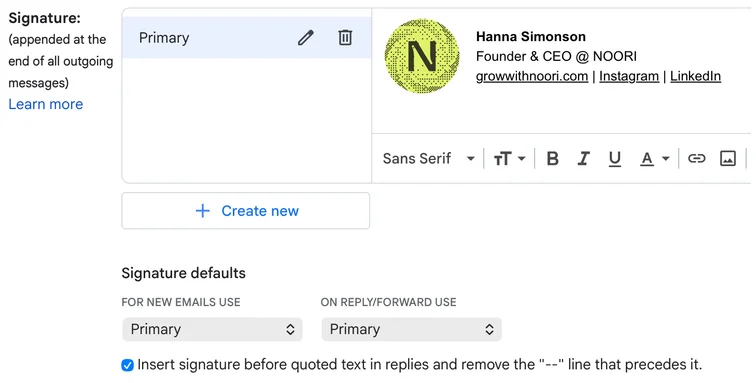
In Gmail, click the gear icon and choose See all settings. Stay on the General tab, scroll down to Signature, then click Create new and give it a name, for example “Primary”.
03.Paste it and save
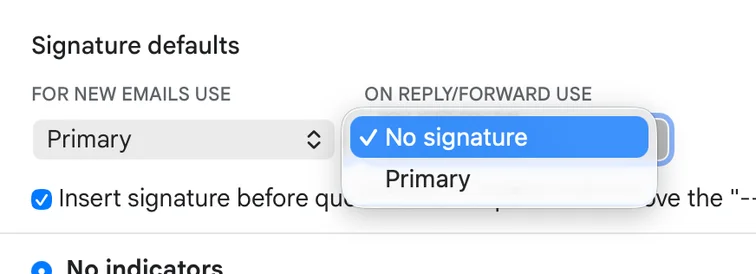
Click inside the signature box and paste with ⌘V / Ctrl+V — the logo and links appear right away. Pick this signature for New emails and, if you like, Forwards/replies, then click Save Changes at the bottom.
Hi there,
Just sending over a quick note. Here's how my new email signature looks!
 |
|
Tip: the copied content includes formatted HTML and a plain-text fallback.